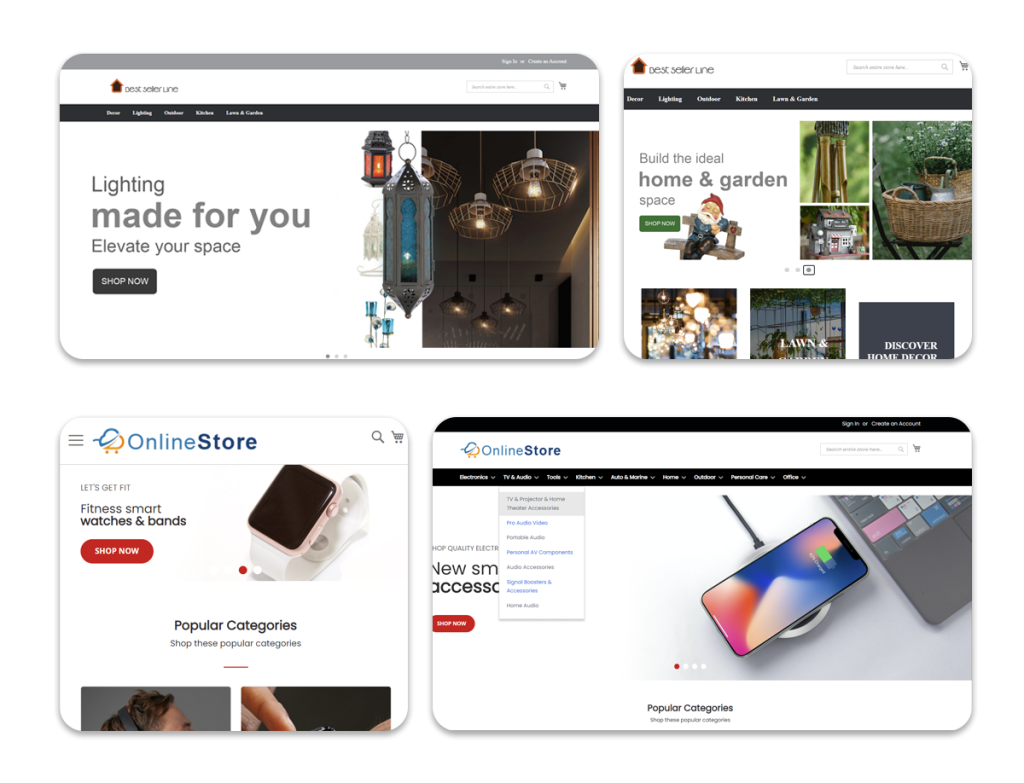
eMerchantClub Releases Version 9.02 with Increased Capabilities
In our effort to continuously improve your eCommerce website, eMerchantClub has released the Version 9.02 with expanded capabilities. This version further improves on your already enhanced Version 9 website and gives you even more tools to help improve your business.

Version 9.02 offers enhanced Web Feed functionality. With the brand new Your Site Feeds section, you can now generate your own web feeds based on products on your website. This new feature, which is located at Marketing > Web Feeds > Your Site Feeds, gives you an efficient new avenue for promoting your website and products.

With version 9.02, you now have a choice of whether or not to offer the wish list capability on your website. This option is located in Sales > Shopping Cart Options. You can easily enable or disable the wish list from this page.

Also, now you can easily add the Google Analytics tracking code to every page of your website. By placing the code provided by Google in the text box located on Marketing > Analytics , the Google Analytics code gets placed on every page of your shopping site so that you can thoroughly monitor your traffic statistics with your Google Analytics account.
Click here to view this whole article...

How to Use Your Version 9 Navigation Bar
eMerchantClub's Version 9 eCommerce website release offers some terrific new enhancements and tools which were designed to give you more flexibility and control over your website. One such feature is the enhanced Version 9 Navigation Bar, which is available only for Version 9 layouts. While the Version 9 Navigation Bar offers expanded capabilities, it is also very different from the classic navigation bar and may at first seem a bit daunting to a new user. This section of the newsletter is designed to help you become more familiar with the Version 9 Navigation Bar feature.

To see the Version 9 Navigation Bar, first be sure that you have applied a Version 9 layout. If you do not have a Version 9 Layout applied to your site, then click on Appearance, then click Style and Color, and click on New Layouts. From this screen, choose any layout between 76 and 85 and click Apply. Once a Version 9 layout is selected, the Version 9 Navigation Bar will be visible after clicking on Navigation Bar in the Appearance section.

The Version 9 Navigation Bar feature is designed to allow you to place your navigation links into relevant categories on your site. This should allow your shoppers to more easily find the links they are looking for and should increase the overall ease of use of your site.
Click here to view this whole article...

How Web Feed Marketing Can Work for You

eMerchantClub added a useful feature to the Version 9.01 eCommerce website: Web Feeds. With eMerchantClub's Version 9.02 release, this feature was significantly expanded.

Used properly, Web Feeds can significantly increase targeted traffic to your website and increase “site stickiness,” which is important for long-term success. This guide will provide you with insight into Web Feeds – what they are, how they're used, and how to use them effectively to increase your bottom line.

What is a Web Feed?

A Web Feed is a special type of page on the Internet which publishes similar relevant content. This content may be from one source, or from multiple sources.

Subscribe to a Web Feed

A Web Feed is something you can subscribe to. In this situation, whenever the publisher puts out new content, it will appear in your reader. We'll talk about readers later.

A Web Feed Collection (Aggregation)

A Web Feed is also something that you can aggregate . This means that you subscribe to more than one Web Feed, and gather those Web Feeds on to one page. Your site allows you to collect several Web Feeds and display them on a page, which your shoppers can read on your site.
Click here to view this whole article...